Owner guide

National e-Invoicing System (KSeF)

A complete guide to invoices, bills and settlement documents in cooperation with BookingHost.

Introduction

How does it work?

No worries - most owners do not need to do anything. KSeF only changes where you find your invoice, not the settlement rules with us.

Your situation

Find your case

The settlement process depends on whether you operate with a Polish NIP and whether you have granted BookingHost authorization in KSeF.

1

I have a NIP and granted self-billing authorization

BookingHost issues invoices on your behalf in self-billing mode - based on the authorization you granted us, we do it for you, so you do not need to issue anything yourself.

Where are your invoices?

Only in the KSeF system at ksef.mf.gov.pl.

What is visible in the Owner Panel?

The Panel contains proforma documents for BookingHost internal documentation only. They are not your VAT invoices.

When will invoices appear?

By the 15th day of the month following the settlement month.
Required condition: your data in the Owner Panel must be complete and correct.See how to verify data in the Owner Panel
3

I am an individual without NIP

KSeF does not apply to individuals who do not conduct business activity.

Your accounting document

As before, the settlement document is a bill, not a VAT invoice. The bill is available in the Owner Panel.

No action needed

You do not need to take any additional action.

Instruction 1

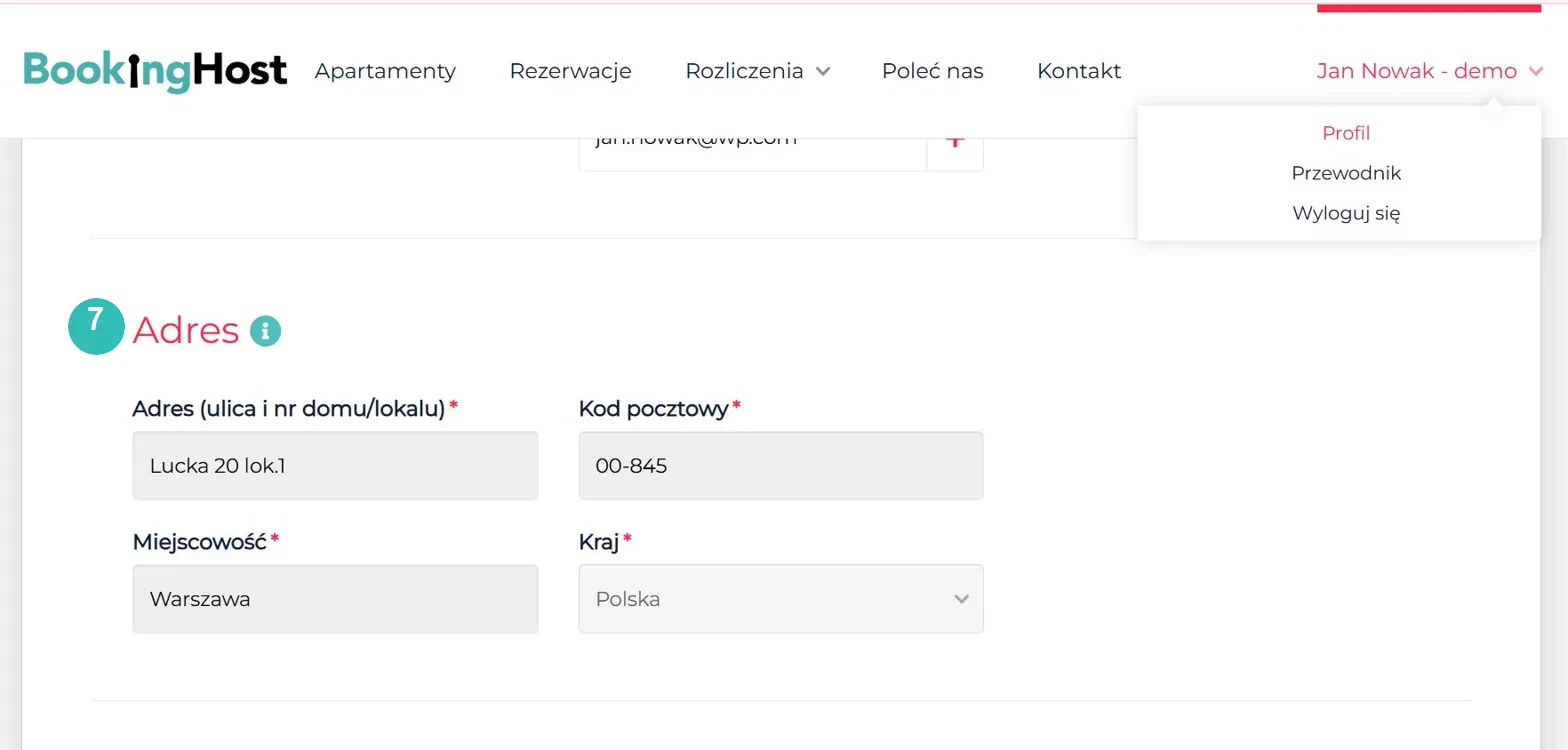
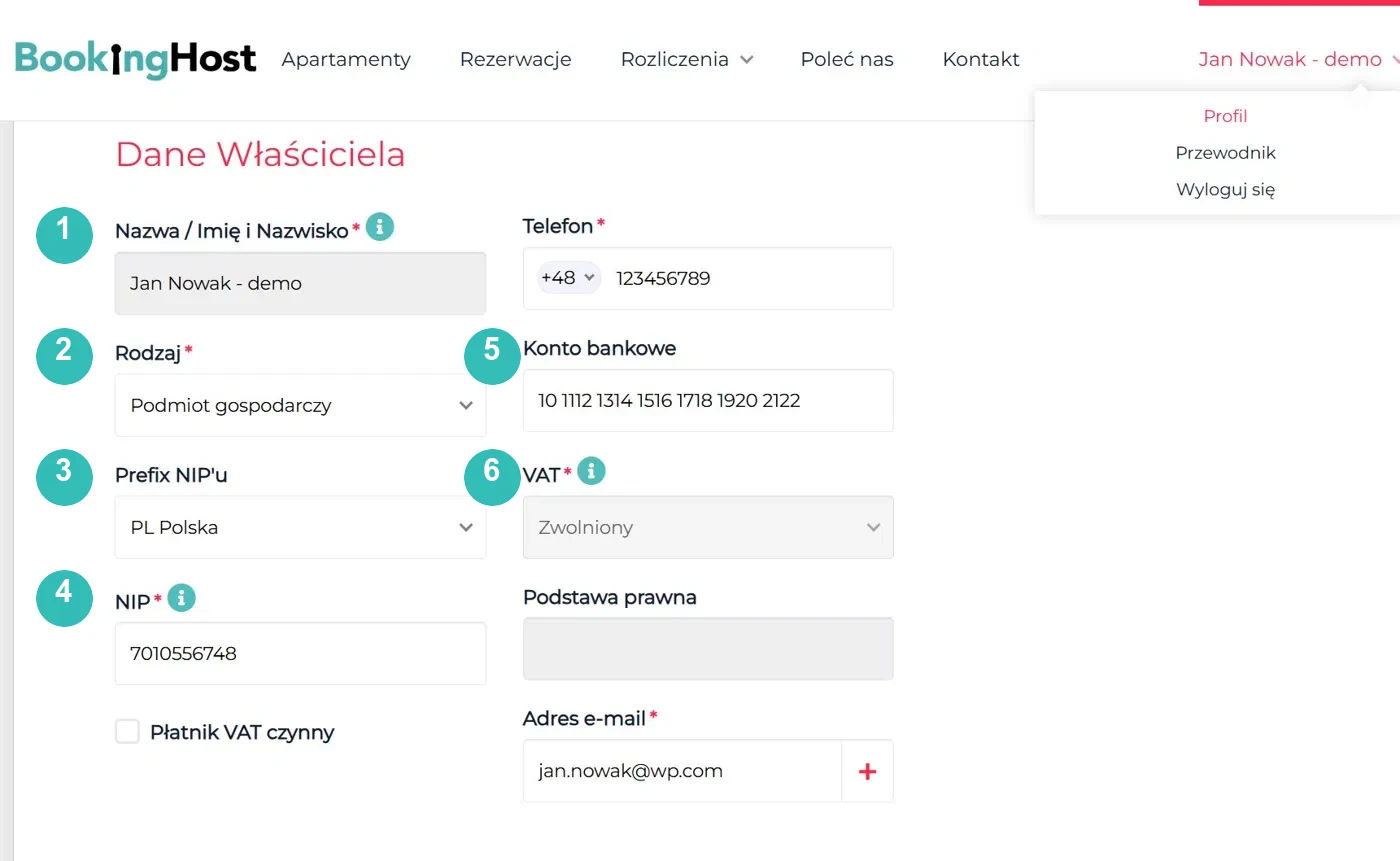
Verify your data in the Owner Panel

BookingHost can generate KSeF invoices correctly only when your data is complete.

Owner Panel -> Your account -> Profile

Check especially:

  • Name / full name
  • Type
  • NIP prefix
  • NIP
  • Bank account
  • VAT
  • Billing address
Owner data in the Owner Panel
Billing address in the Owner Panel

If any field is empty or incorrect, contact your account manager through the Contact tab in the Owner Panel.

Instruction 2

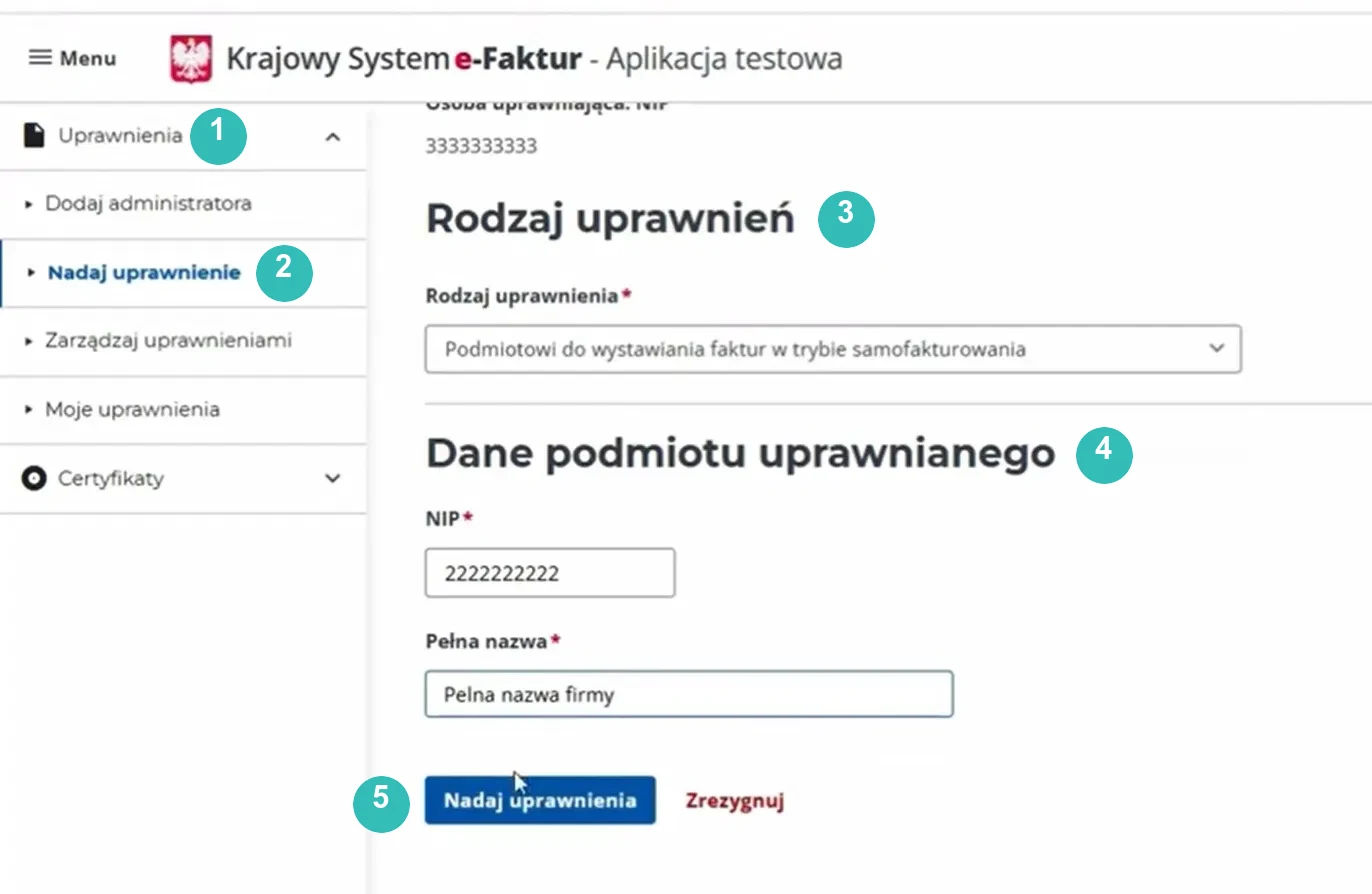
Grant authorization in KSeF

For owners settling with a NIP who have not yet granted BookingHost self-billing authorization. The process takes about 2 minutes.

Go to ksef.mf.gov.pl and log in with a trusted profile or qualified certificate.

Authorization screen in KSeF
  1. 1Open the Authorizations sectionClick Authorizations in the left menu.
  2. 2Choose Grant authorizationSelect this option from the left submenu.
  3. 3Select the authorization typeChoose authorization for an entity to issue invoices in self-billing mode.
  4. 4Enter BookingHost detailsNIP: 7010556748. Full name: BookingHost Sp. z o.o.
  5. 5Submit the formClick Grant authorizations. The authorization is active immediately.

Need help?

If you are not sure whether the correct permissions have been granted, which case applies to you, or your Owner Panel data needs correction, contact your account manager - you will find the contact details under Contact

Add a ticket in the Owner Panel